Introduction
We're excited to announce that v6 of MediaCMS open source video and media platform has been released! This version adds significant functionality that empowers creators and users, including an intuitive video trimmer that can trim videos and create new videos from segments, an updated media publishing page, and advanced RBAC capabilities.
Try all these features on our live demo at https://demo.mediacms.io.
Now, let's dive deeper into what makes v6 special and share our exciting roadmap ahead. But first, we'd love you to meet the team behind MediaCMS.
The people behind v6
The awesome team behind this release has been working from multiple remote locations including Greece and Cyprus, coordinating through remote calls and physical meetings. We're grateful for everyone's dedication to making this release possible!

Video Trimmer
As soon as you upload a video, you can select "Edit Media," then "Trim Video" and you'll be presented with a video editor. You don't even have to wait for the video to be properly encoded, as the video editor will attempt to show the original video.
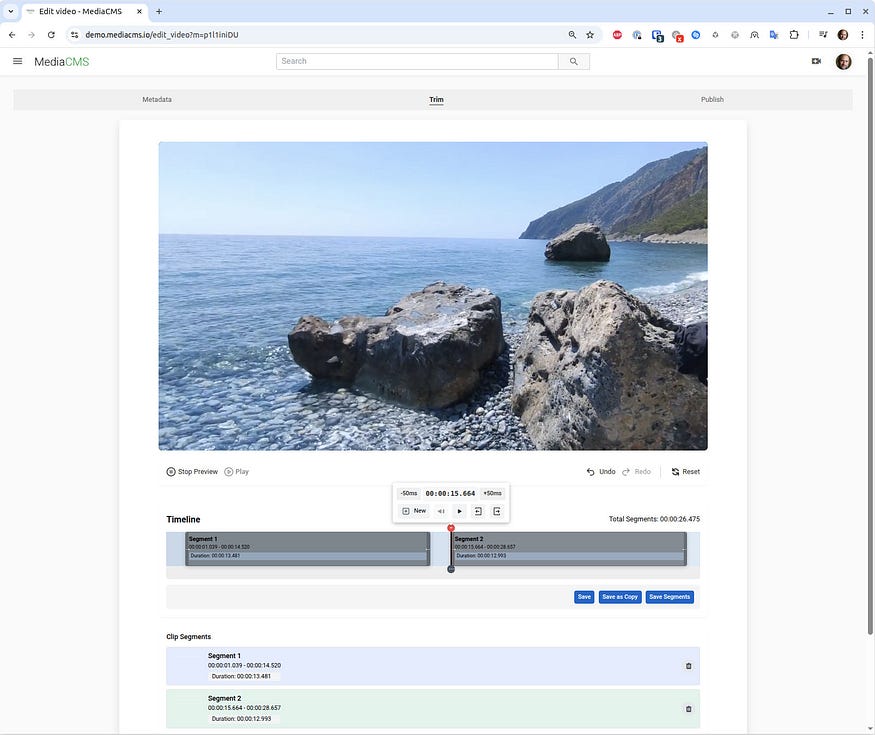
The video trimmer allows you to select any area of the video and drag to the left or right, removing unwanted sections. You can create any number of segments and choose to save and replace the original video, save as a new video, or create new videos from the selected segments. In all cases, this is a fast action that takes only a few seconds, as it doesn't re-encode the video but performs an ffmpeg copy. The editor is designed to allow quick editing of newly uploaded or existing videos to remove sections or split them into multiple videos. This will also benefit users on mobile devices.
Additional transformations including rotations and blurring will be added in future updates.
Edit media page
The edit media page has been split into two parts: Metadata and Publish, better organizing individual settings that are more closely related.

RBAC (Role-Based Access Control)
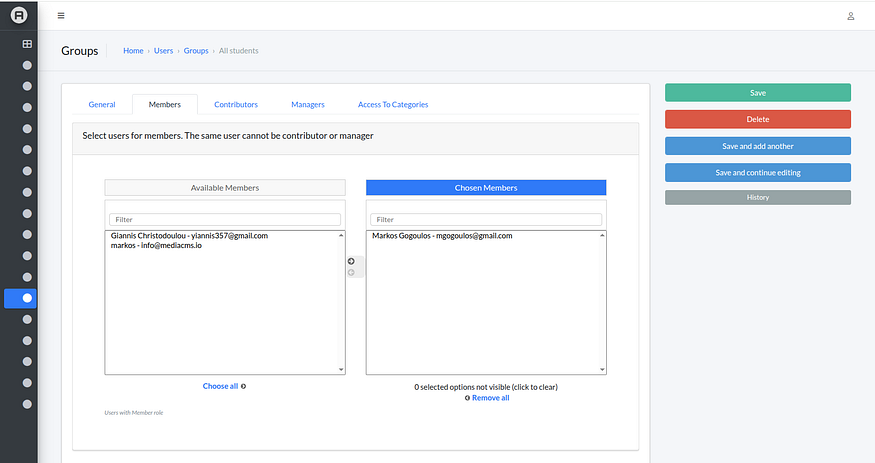
This feature was part of version 5, but since we didn't blog about it it's worth mentioning here as it provides powerful capabilities for restricting access to media while allowing controlled viewing and editing permissions.
Groups can be created and categories can be associated with these groups. A user can be a member (view access), contributor (can edit), or manager (can delete). Users can be assigned to multiple groups with different permission levels, allowing for flexible content management.
By default, this feature is disabled as it represents a significantly more complex setup that isn't needed in most cases.
It can be easily enabled by setting USE_RBAC = True.
SAML support
This feature was also part of version 5. It introduces SAML support with the ability to add custom attributes that allow users to be associated with groups automatically upon login.
SAML options and attributes
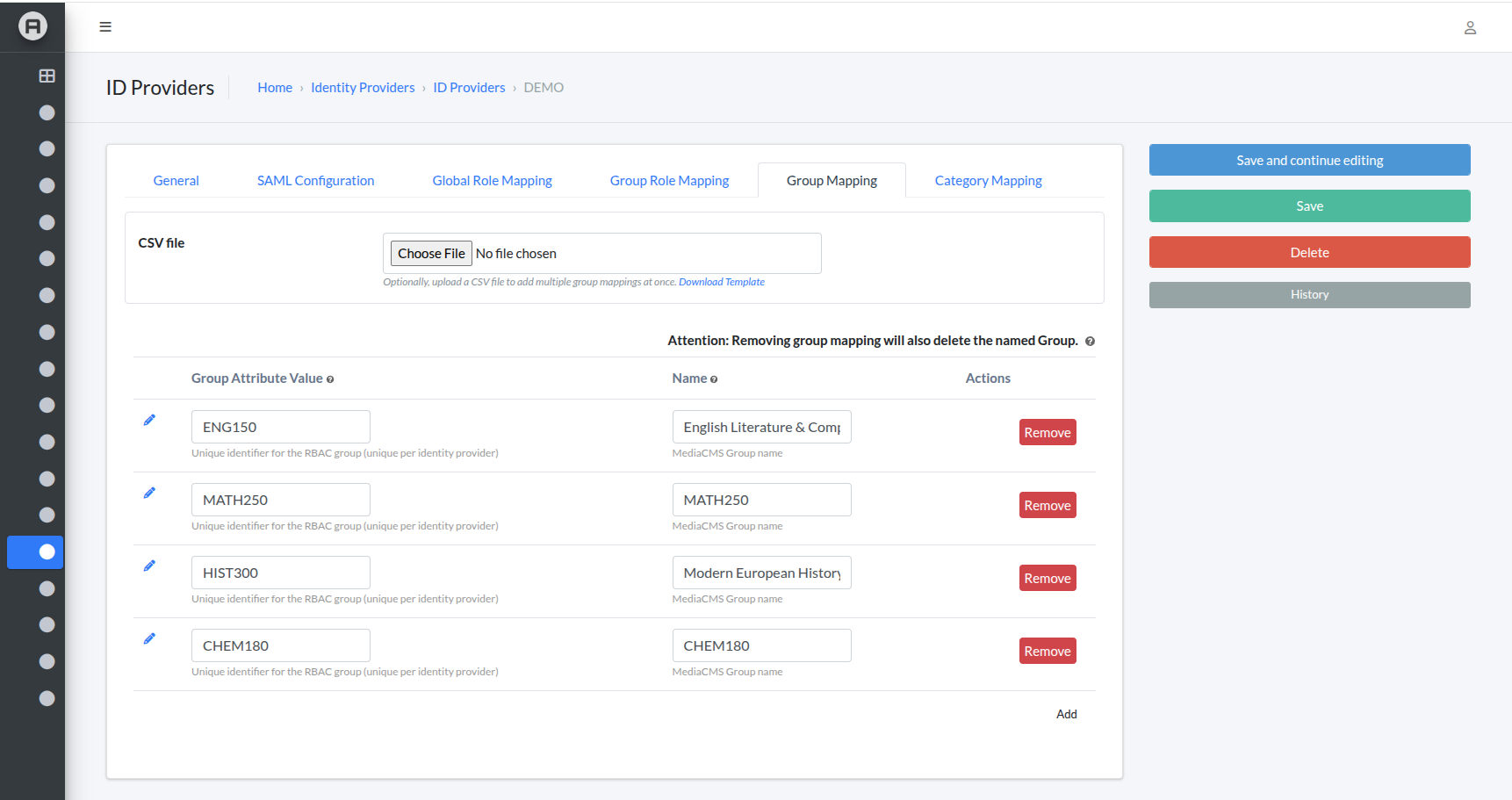
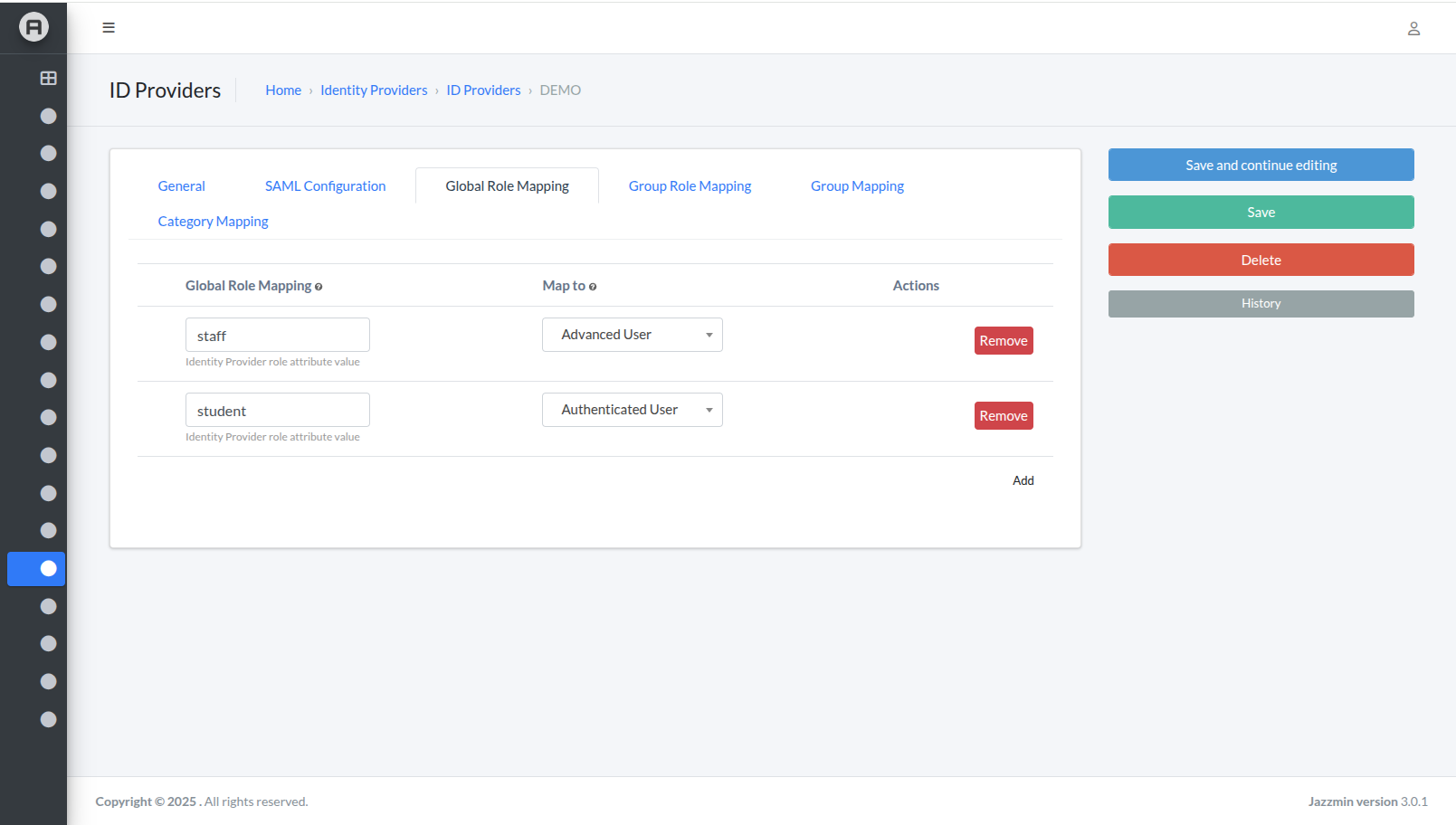
You can add SAML providers, specify attribute mapping with MediaCMS for name, email, logo, and other fields, configure MediaCMS role mapping, and set up group mapping with categories.
Group IDs can be mapped with names either individually or through CSV import. This makes it easy to prepare an environment where users log in through a SAML identity provider and are automatically configured with preferred settings and category access. Combined with RBAC, this enables seamless access control for viewing and editing media.
This feature is also disabled by default and can be enabled with USE_SAML = True.
Other improvements
- We added rounded corners around videos, but since multiple users requested the option for rectangular corners, this is now a globally configurable setting through
USE_ROUNDED_CORNERS = Trueby default, that can be set to False to bring back the rectangular corners. - Installation fixes — the previous release broke the single server script, but we've fixed it in this version since it's still used by users who prefer not to use Docker (which is the recommended way to install).
- Numerous UI fixes — several glitches have been resolved, most importantly the ability to set timestamps in descriptions and comments and link to particular parts of a video without reloading the page.
- Multiple languages added to translations by new contributors — thanks to GitHub contributors ctollund, andyfoundi, angy91m, and OfekiAlm.
- Attempt to show the original video while processing, so users can immediately see what they've uploaded, change metadata, or trim it, instead of showing a blank video player with a "processing" message.
Future plans
We're excited about upcoming features including bulk actions for users, such as mass setting categories or adding to playlists, and the ability to add contributors and editors to individual media items. Video chapters are on their way, along with an updated video player. We're also developing LTI tools support, enabling seamless integration with existing Learning Management Systems like Canvas and Moodle — making MediaCMS a perfect fit for universities and educational institutions.
Stay tuned!